
[SELF:STORAGE] Dev Log 2 - This game needs a cat, and I don't care if it doesn't really
Quadruped animation and Motion Matching and behavior trees, oh my

This is an ongoing series on the solo development of my “walking novel” game [SELF:STORAGE] in Unreal Engine – check out Dev Log 1 here if you missed it.
Apologies – I intended to write and post this Dev Log the Second sooner, but I got the covid and spent several timeless abysses immobilized on the couch watching 3D Zelda speedruns. (Shoutout to speedrunner gymnast86, who also had the covid and missed his slot at AGDQ because of it. I feel ya, buddy.)
Once I recovered some HP, getting caught up at work took all my daytime energy, so pecking away at cat-themed dev logs by moonlight took a back seat. And you didn’t ask about any of that, but I’m a recovering people-pleaser who still gets cold sweats thinking about the possibility of disappointing anyone. Or maybe that’s just the long covid kicking in, who knows.
BUT GOOD NEWS: we’re gonna talk about cats today.
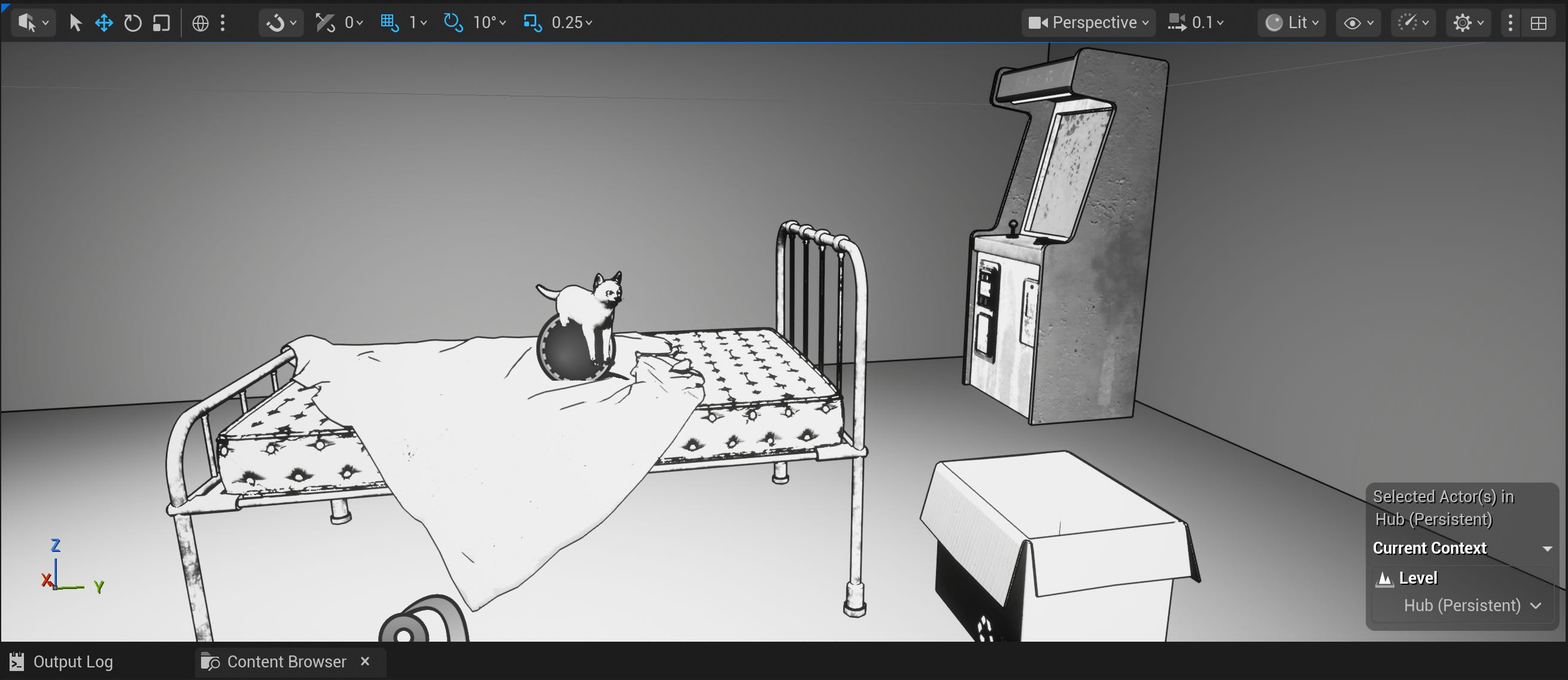
Like a real cat, needlessly complicated and very demanding of my time and attention
“Why do I do these things to myself?” Amanda asked, eleven hours deep in the Sisyphean task of trying to convince a digital cat to walk in a circle.
This game probably didn’t need an animated, autonomous, realistic cat character. There’s no real gameplay reason for having a cat. At first glance, there’s not even much of a critical narrative component. There’s really no perceivable ROI on adding a cat to a game in which Kitty™ plays Very Smol Role™.
There was likely no reason for me to spend money on a rigged and animated cat model. And there was certainly no reason for me to try my hand at animation Blend Spaces, dislike the result, try to set up Motion Matching, realize it’s a whole different beast (hah) for four-legged models, and follow four hours of tutorials to try to get it to work… only for it to not really work because the tutorial was for a player character instead of an AI-controlled NPC… and then find someone who was trying to do the same thing I was trying to do, who (thank Cthulhu) put their project files on Patreon for me to peruse and learn exactly how I needed to set up my four-legged Motion Matching to get the damn cat to turn in a damn natural circle instead of phase-warping 90 degrees every time I fired off AI MoveTo.

Game dev, am I right?
Yeah, probably no reason at all to do any of that. Absolutely no reason for me to spend, like, 12 hours of my free time and $40 just to get a cat that moves around (kind of) naturally.
And yet, this game absolutely needed a cat. So I did all of that. Whoops.
Ceci n’est pas un chat
It’s just one of those ideas that stuck in my head, y’know? And this is my game, so I call the shots around here, for better or worse. Besides, adding a cat NPC to the game is a Learning Opportunity™, right? Sure, let’s go with that.
I had this sense that the player character needs someone. Some other party. It can’t be other humans, because all the other humans are <gone?>. And a robocompanion wouldn’t fit the vibe. And while dogs are all fine and well, dogs are too sociable and friendly for the themes of this game. Isolation. Introversion. Yearning. Self-sufficiency. Quiet strength. Existential suffering.
That’s Kitty™ if ever I’ve heard of Kitty™.
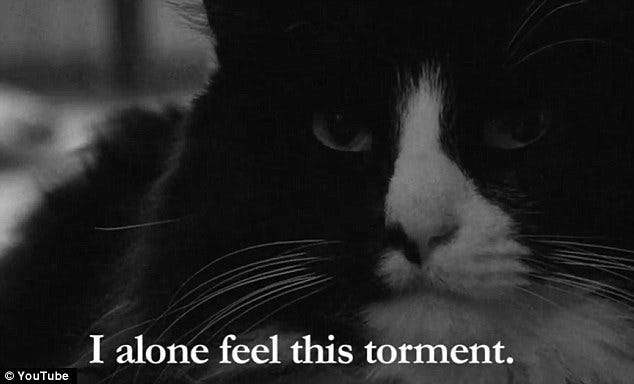
Henri le Chat Noir would agree
“Will the needs of Kitty™ be gamified?” you ask? At this stage, I’m thinking not. You’ll find food and water that you’ll share with Kitty™, but since I’m abstracting the survival aspects of this game for the player character, it makes sense to do the same for Kitty™. It’s more “Kibble. The cat will eat well tonight.” and less “1x Kibble added to Inventory”, if you can picture it.
Kitty™ serves light narrative purpose as a light relief from the oppressive solitude and dread of your day-to-day. A little environmental friend to cut some of the tension – but also deepen the tension, in a way. Kitty™ could probably fend for itself if the player character decided to ⌘-Q their way out of the mortal coil, at this, the end of the world – but something about Kitty™ having chosen you… it’s a reason to wake up in the morning. Even at this, the end of the world.
Also, you can pet the cat, so, y’know, Game of the Year contender.
How to Kitty™ – or, at least, how I Kitty™
It starts with a high-quality, rigged, animated model. And my first thought was to do that part myself.
But then I watched some behind-the-scenes of how BlueTwelve Studio made realistic cat movement in their beloved cat game Stray, and realized I was probably in over my head. My cats Bean and Tilda are good sports, but they belong to a union; I couldn’t negotiate a purrformance capture claws in their contract.
(A moment to catch your breath from all that hysterical laughter.)
I’m also not an expert at 3D sculpting, nor rigging and animating, and definitely not the best at optimizing a character model and its animations for use in a game, let alone a character model with four legs.
So, instead, I found a cat pack (cat pack! say it aloud, it’s great fun) on Fab Marketplace – fully rigged, with dozens of animations that would suit my few needs.
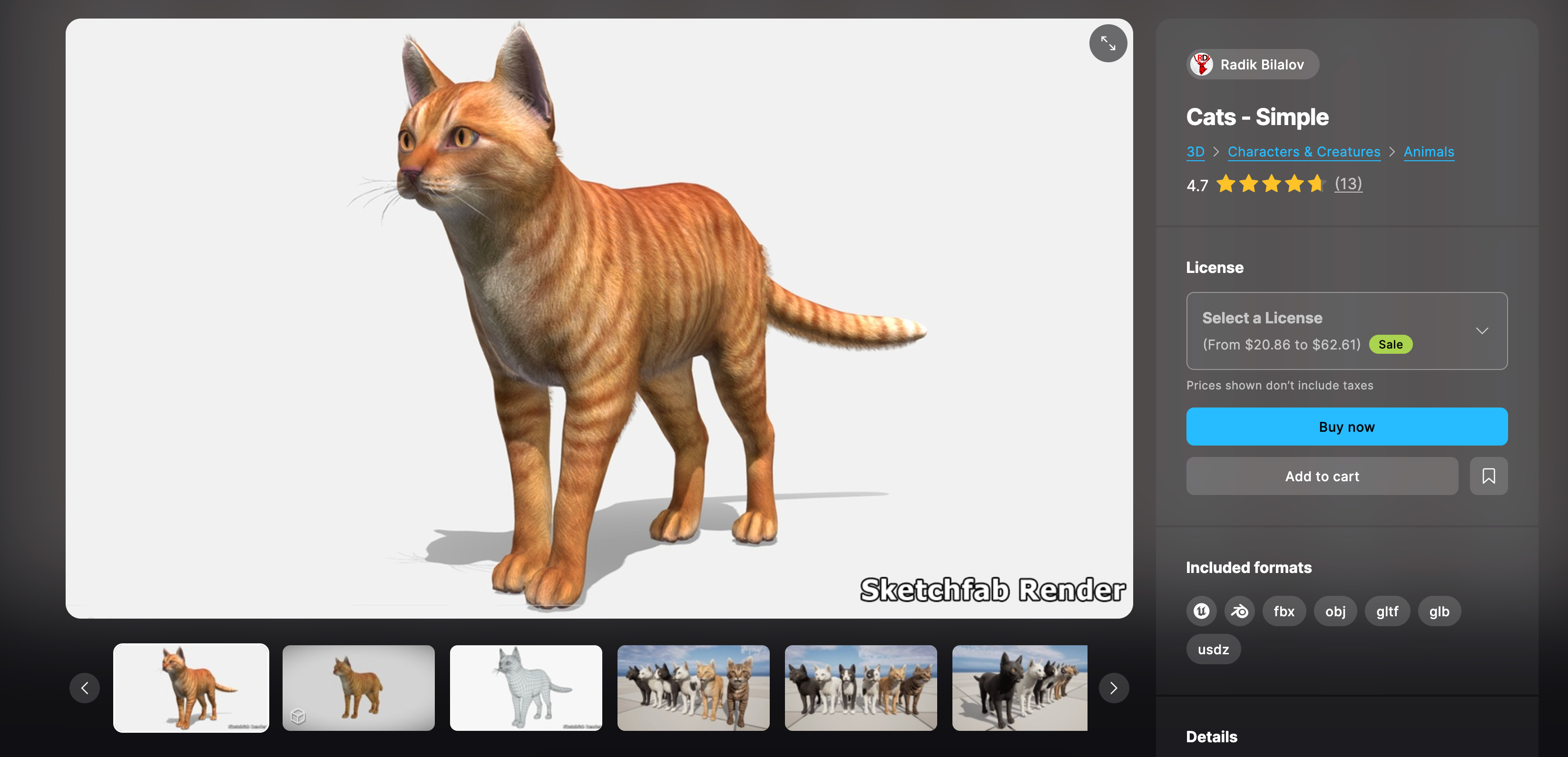
And my few needs were thus:
Kitty™ will walk around
Kitty™ will jump onto surfaces (perhaps even into boxes)
Kitty™ will eat, sit, lie down, groom, scratch at a post, and bat at things
Kitty™ will do a beeeeeg stretch
Kitty™ will react to being pet
No combat or death (sob) animations in my needs, though they’re included in the pack, so if that’s your need (you monster), you’re covered. This pack also includes animations for swimming, running, and digging, so it’s a great choice if your player character is a cat and you need something that covers most of your use cases right out of the box (minus the animation setup, anyway).
Also, lots of different cat skins! Because, as we all very well know, there’s more than one way to skin a cat.
(Thunderous applause, screams of mirth, howls of unconstrained glee.)
Cat → Game → ??? → Profit
Importing my model from Fab Marketplace into Unreal was pretty straightforward – drag and drop the cat mesh once the cat pack (cat pack!) was added to my library. Boom. Just to see how it was working out of the box, I set up a quick NPC BP, AI Controller, NavMesh, and Behavior Tree to have the cat pick a random point, walk to it, idle for a few seconds, then repeat.
And, uh, well…
That cat ain’t right, boy
(Ignore the shader experiments; this was back when I was still evaluating whether I wanted shadows.)
Helps if you set up your animations first, I quickly learned, hah.
So I tried setting up my animations as Blend Spaces, with the help of several tutorials on the subject, because – and I can’t stress this enough – I have no idea what I’m doing here. And that got things looking better:
Better… ish
But for the life of me, I could not get the cat to turn correctly. No matter the tweaks I made to the Blend Spaces, it would snap to an angle, then start walking forward.
I soon realized turning naturally was a whole thing – it’s not enough to just blend animations. You need some level of precision control over making the character take its turn in an arc, rather than snapping to and walking forward.
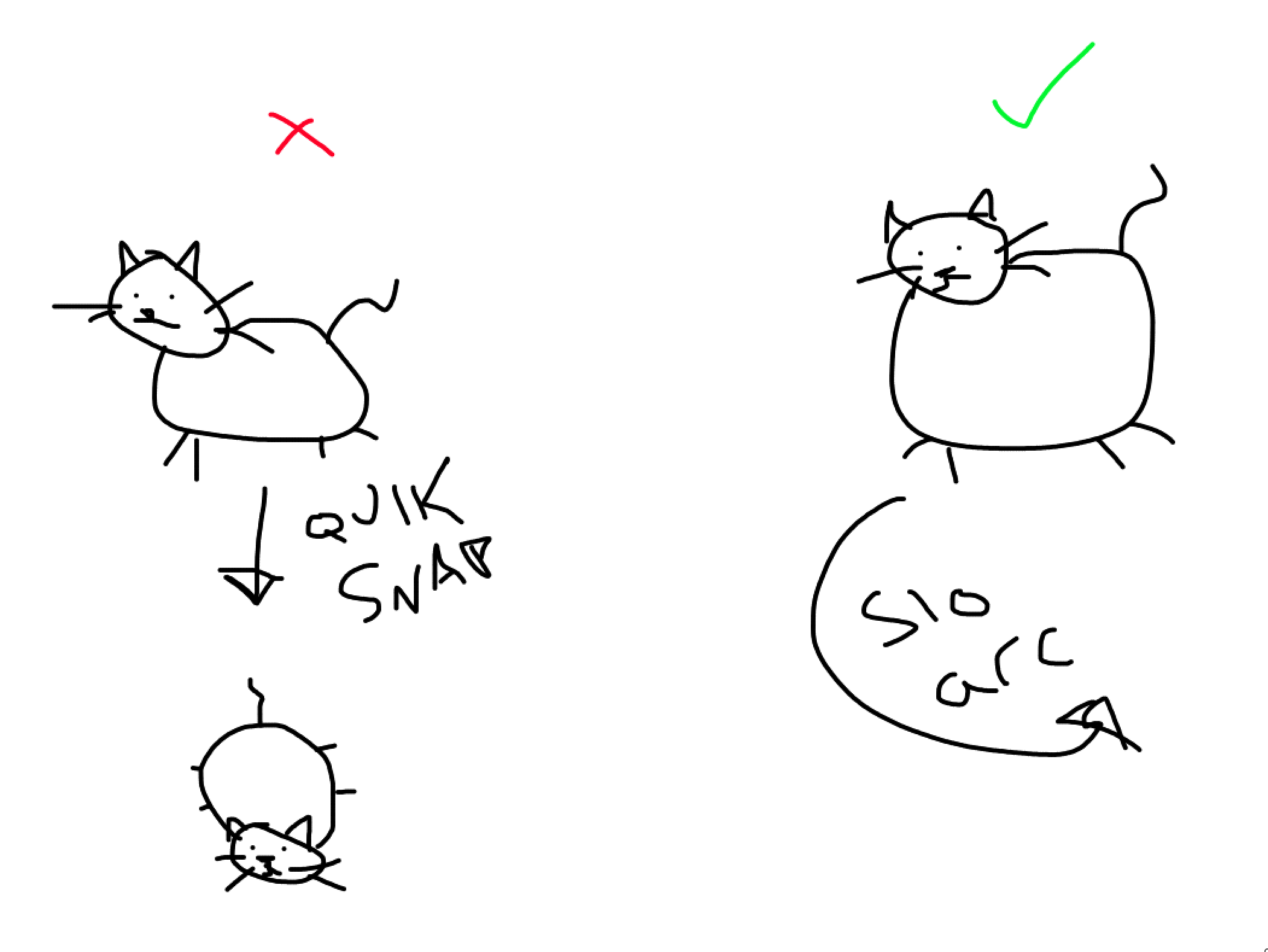
Y’know what I mean?
Which led me down a wonderland of rabbit holes of tutorials on how to do just that. There are a ton of tutorials on how to create realistic turning arcs for bipedal player characters and bipedal NPCs, but wouldn’t you know, very few tutorials on how to do it for quadruped characters.
At this point, I decided to switch over to Motion Matching, since my Blend Spaces were looking kind of janky, with a lot of stuttering and unsmooth switching. And that proved fortuitous, because “quadruped motion matching” ended up being the golden ticket of keyword searches.
I stumbled on this godsend of a tutorial series that helped me get quadruped Motion Matching going – AND solved the problem of the character turn arc! Huzzah! Huge shoutout to TechAnim Studios for this incredibly helpful resource. I learned way more math on calculating movement trajectories than I ever wanted to have to consider, but it was super invaluable.
I followed the tutorial, but soon ran into a new problem: this series is for a player-controlled quadruped character, rather than an AI-controlled NPC. So, all the setup under the hood for the player Character Movement Controller didn’t translate 1:1 with how you’d set it up for an NPC.
Which caused a fun little spin every time I called AI MoveTo from the behavior tree. Apparently I neglected to capture any footage of it for the bug reel, so please accept this dramatic reenactment:

Bug or feature?
Luckily, TechAnim had on their Patreon some example project files for how you could set up turning arcs for a four-legged NPC. And it worked!
Now That’s What I Call Cat Movement 2025
Now in the cat’s behavior tree, I can call a custom MoveTo function that takes into account the turning-on-an-arc movement behavior that I’ve set up in the cat’s main BP, and avoids the default snap-to behavior I’d been seeing.
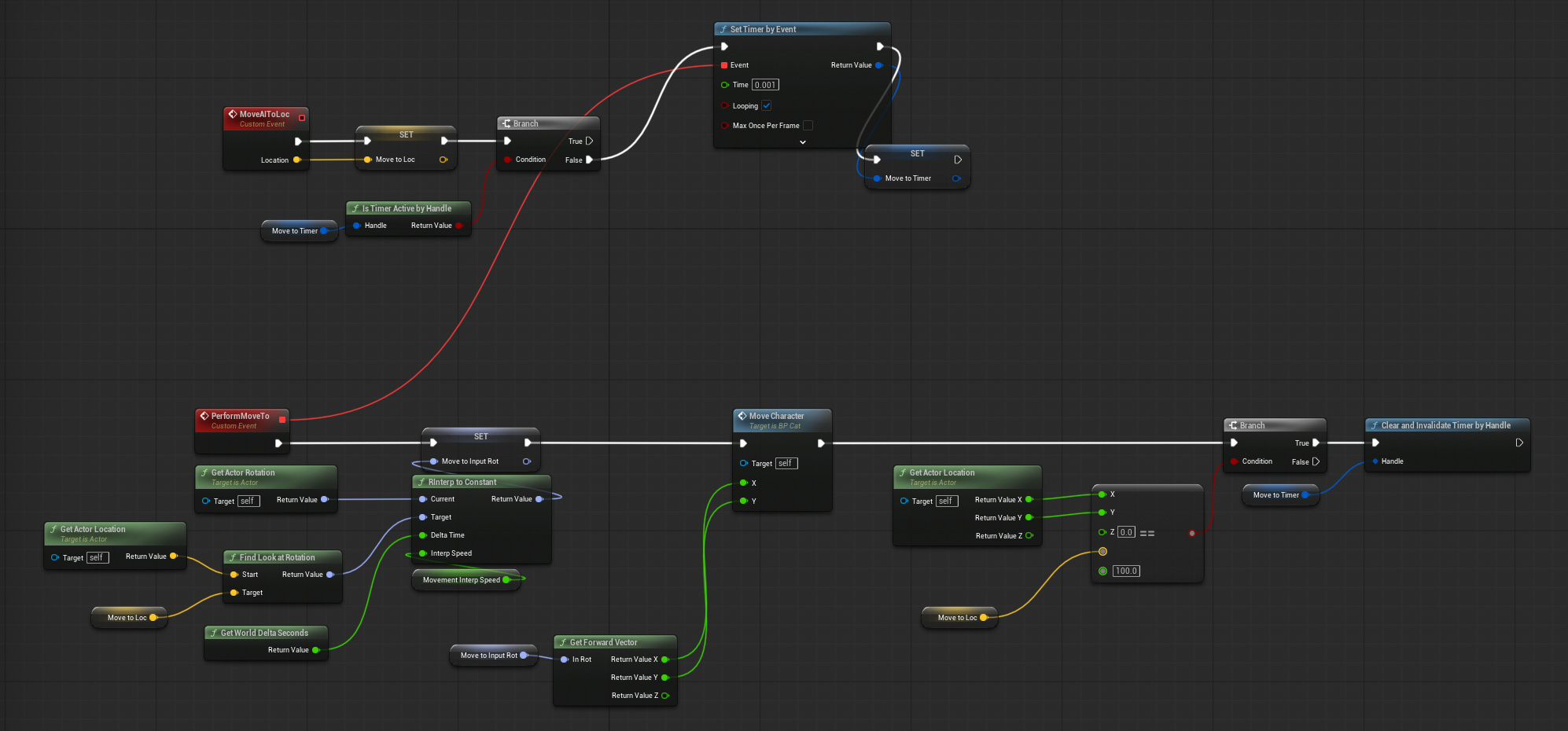
Movement setup on BP_Cat
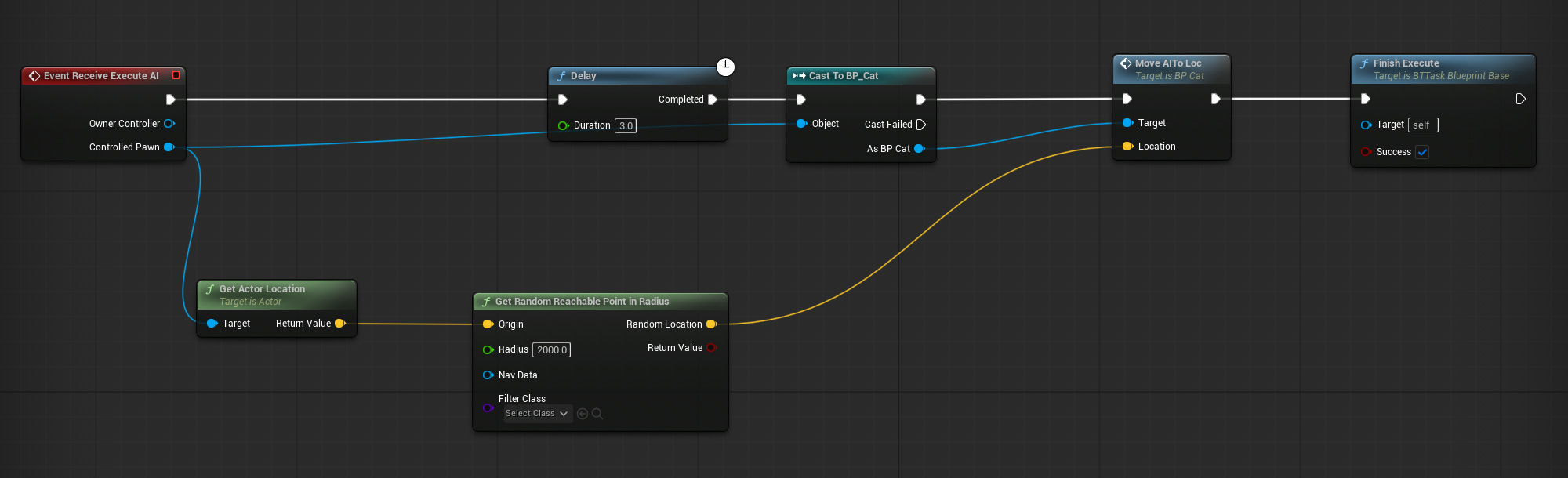
Calling Move AIToLoc on BTTask_Roam (and then the task is called from the Behavior Tree)
Did I mention this took me, like, 12 hours of my free time over two weeks to figure out? Haha. Time well spent?

If I never have to think about movement trajectories again, it’ll be a blessed life
Smoothing out pathing
I ended up buying a pathing add-on to add a little more of a natural sway and randomness to the pathing and object avoidance, rather than having the character move in a dead-straight line from Point A to Point B as is default.
(You can get a little bit of this more natural movement by switching from the default AI Controller class to the Crowd Controller, but I found that it didn’t really give me the effect I was looking for, since it seems to be best suited to other dynamic objects and NPCs in the scene and avoiding those that also belong to the Crowd Controller class, which was not the case here.)
And the Flex Path add-on was useful:
Original pathing in red, updated pathing in green
But the static mesh object-dodging isn’t 100% there – namely, the cat becomes one with the objects in its path instead of avoiding them. And that’s not a fault of this add-on, but actually a quirk of the vertical collision capsule of this four-legged mostly horizontal character.
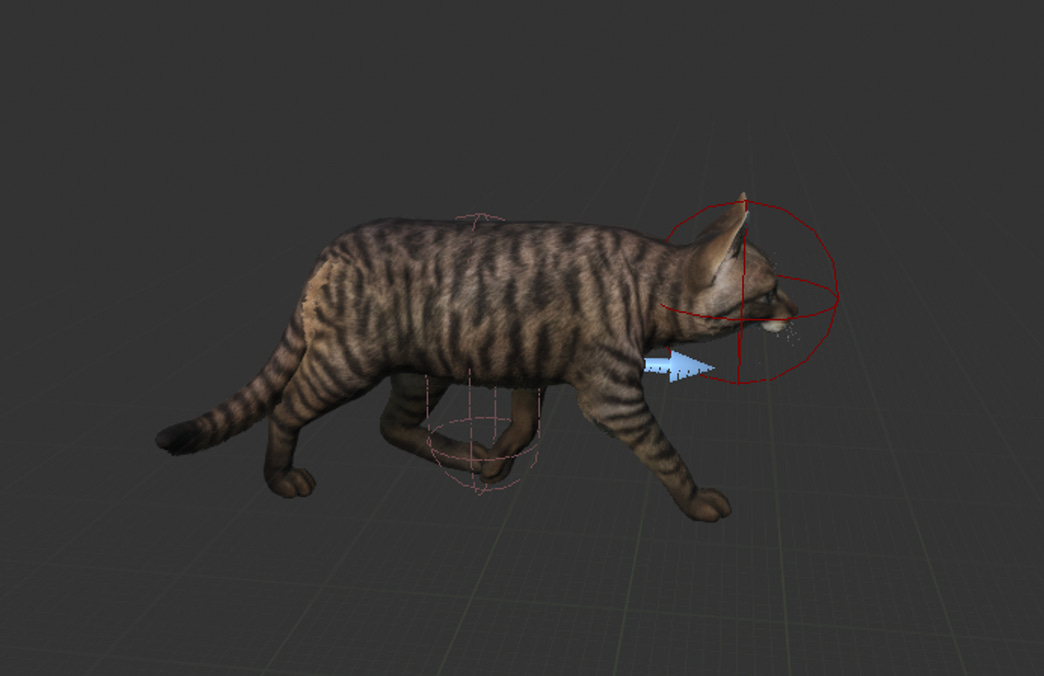
Unless I’m extraordinarily dumb, there’s no way to rotate a collision capsule
After a bunch of research, I learned that, inexplicably, there isn’t really a native way to dial in the collision capsule to the exact dynamic mesh of the character. (And I’d imagine it would come with a pretty big performance cost, even if you could.)
If I knew a lot of C++, my research indicates that I could set up some custom collision capsule behavior, but I do not know a lot of C++, and learning a lot of C++ still remains decidedly off of my bucket list, so.
There is, however, a $178 add-on that will help – so if you want to donate toward getting my cat character to correctly avoid objects lol: buymeacoffee.com/itsamandalynn. Or become a paid subscriber!
I found a serviceable workaround in the form of adding a second sphere collision to the character’s head, thanks to some discussion on the Unreal forums, which helps some in that the cat doesn’t phase through things anymore – but the cat will still keep trying to walk forward for a bit and then bonk empty space before correcting, instead of just avoiding the object entirely. Also, the additional head collision doesn’t solve the issue of the cat’s tail clipping through objects. So I threw on a box collision, which… kinda works. But now there’s an unnatural clearance around objects that I don’t love, and the whole moonwalking-in-empty-space-as-the-collisions-bonk-together issue persists.
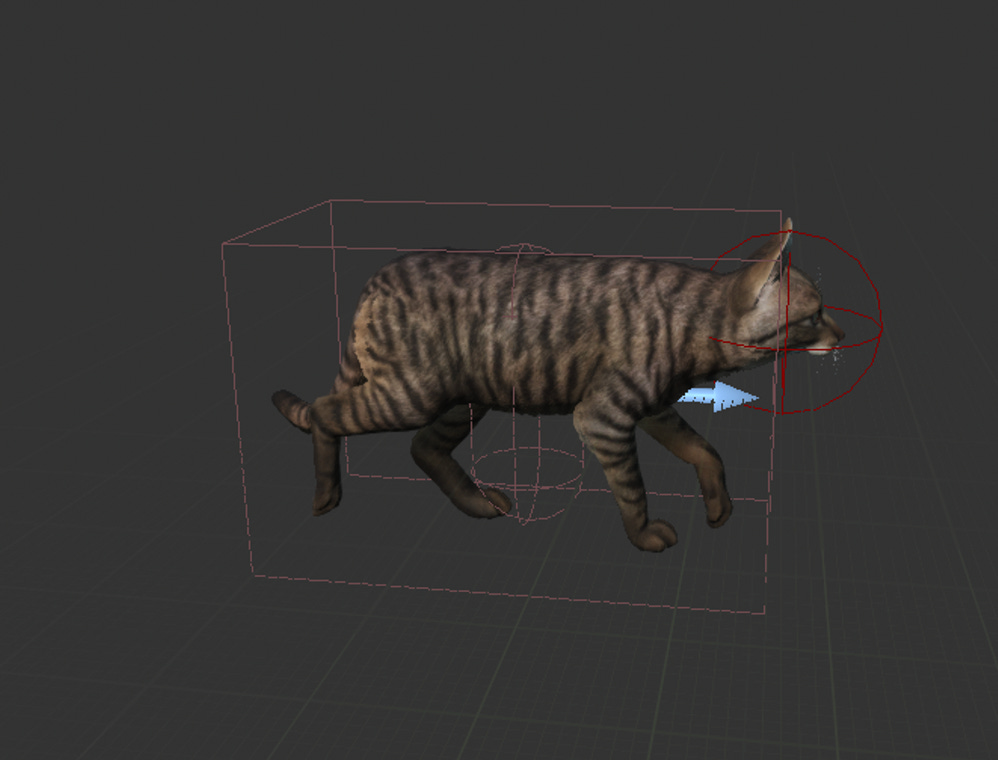
Schrödinger’s cat tail
So, with or without the collision workarounds, this is a cat that bumps into things, hah. Might just have to work it into his backstory. Poor blind kitty with the neurological disorder that causes him to occasionally moonwalk into boxes. (I mean… it’s not the worst idea…)
Maybe there’s a way to use the character’s perception to avoid static objects – I suspect that’s an avenue to explore next before I give up on trying to do this for free.
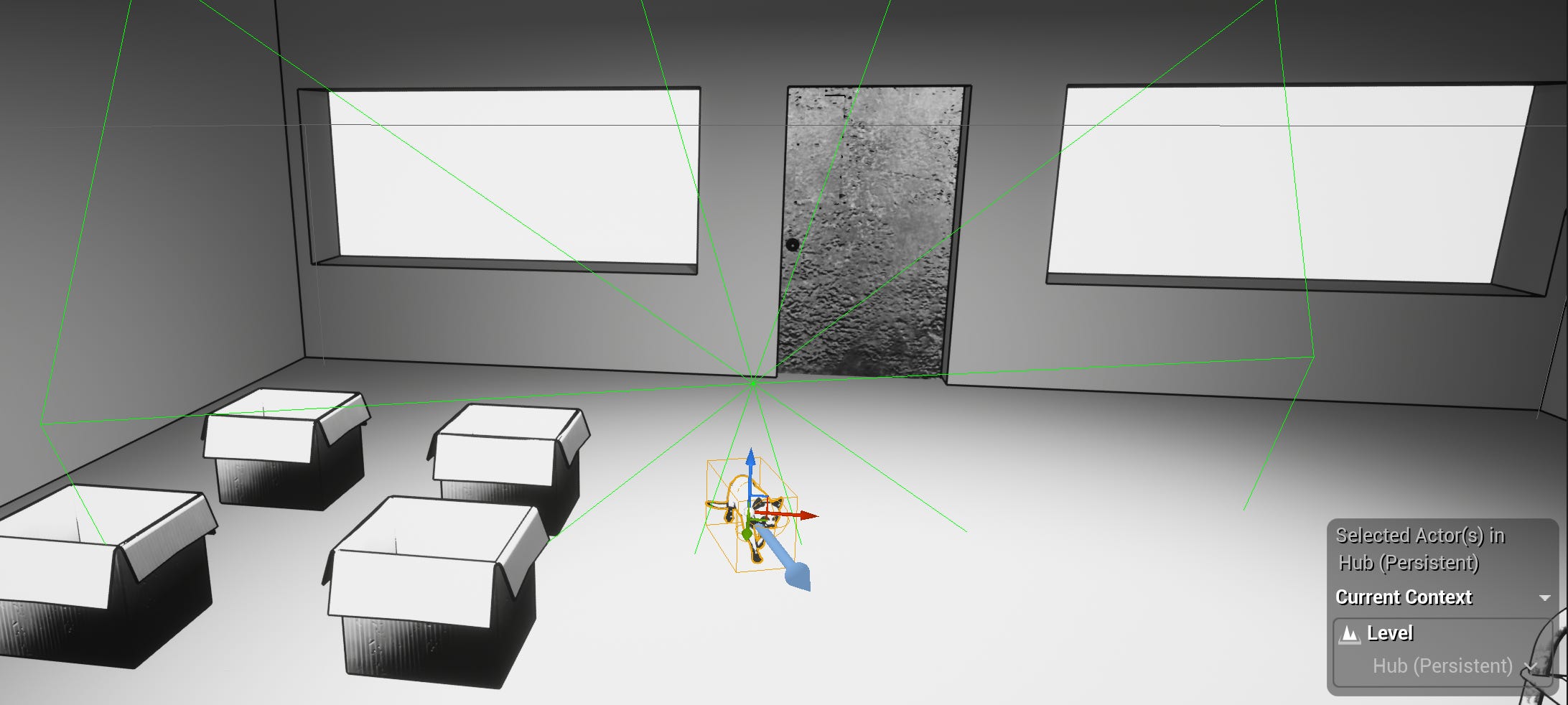
I’m already using PawnSensing, so…
For the tail clipping… I don’t know, man. I’m going to have to give that more thought and research. I suspect there’s a solution to this, too; I just haven’t stumbled on it yet. Like, maybe another collision sphere over the tail? But it can’t be that simple, can it? Why do I feel like that’ll just nudge the cat out of position instead of interrupting the tail sway? I think dynamically adjusting the tail animation is probably key, but how? Hm. Things to look into.
All that said, the character movement add-on is looking mighty appealing, even with that price tag. Work smarter, not harder? Don’t reinvent the wheel? MAINTAIN SCOPE? HAH. Yeah, yeah. At some point, this is entirely too much time to spend on cat movement without giving the cat a larger role in the game. Might be time to say “good enough”, live with the quirks, and move onto the actual game.
Cat gon’ do what a cat gon’ do
Let’s talk about AI behavior trees and all the things I have thus far made Kitty™ do, and will next make Kitty™ do:
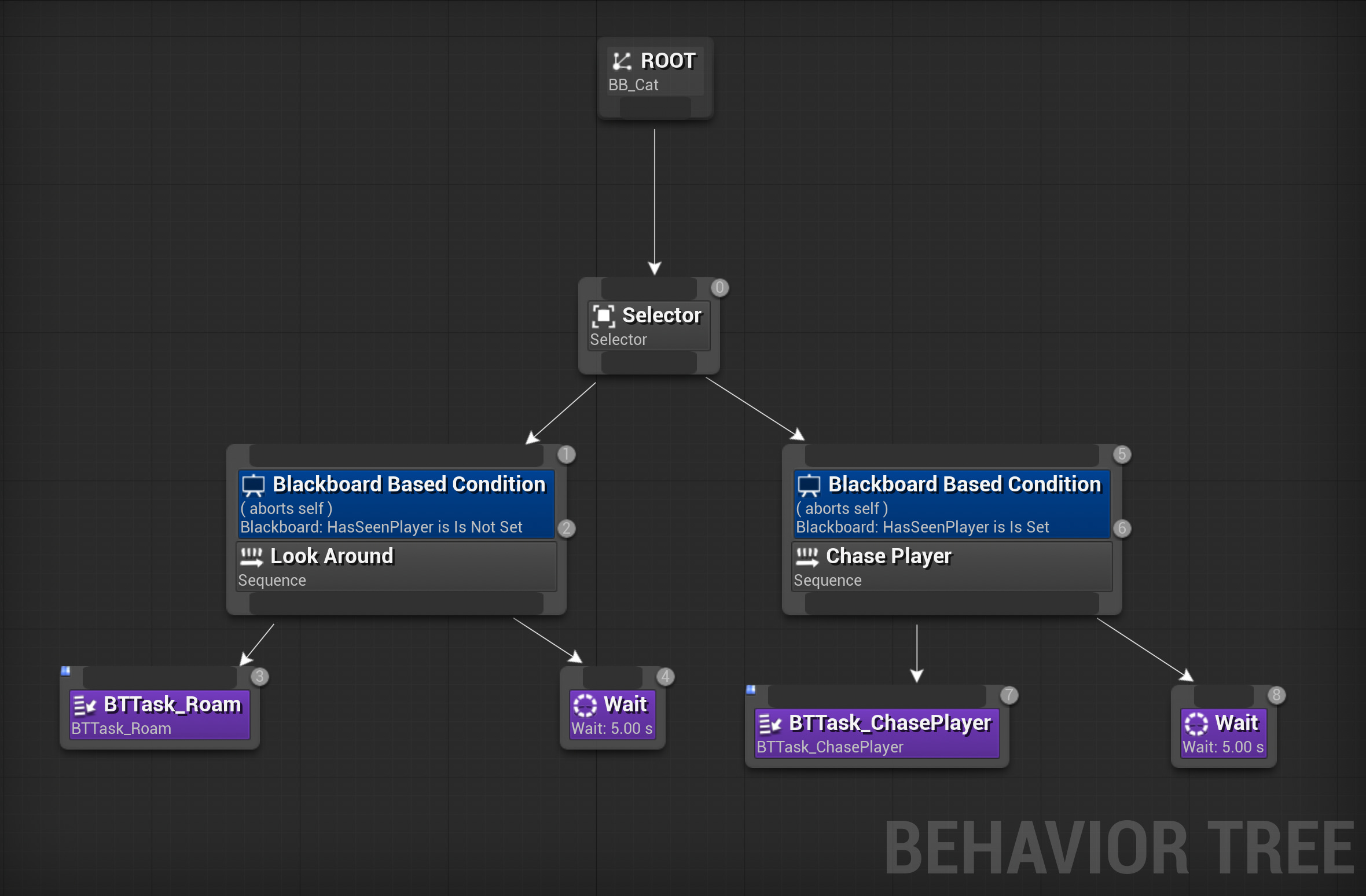
Day in the life of Kitty™
Working out the cat movement was Priority Numero Uno, so I haven’t gotten much further than the initial setup I’d done on the behavior tree:
Kitty™ picks random point, walks to it, idles, repeats
If the player enters into Kitty™’s cone of perception, Kitty™ will follow the player, then idle
Kitty™ will pick between these two behaviors based on whether it spots the player
Super basic so far. I wanted to try out some other ideas, but didn’t feel like doing so in the behavior tree just yet, so I set up a test cat on the bed for testing purposes. Test Kitty™ will chill on its belly until you interact, then will sit up, stretch, sit back down, and return to its belly.
The essence of petting the cat
(Don’t mind the delay – showing the interaction dot fading in and out before I press my interact key. I’ll say more on the interaction system in Dev Log 3, and will drop in a link for posterity once that’s up.)
The idea is to add a routine for Kitty™ to jump onto the bed, settle down, and become available for interaction – when it feels like it, true to the essence of being a cat.
But, uh, you remember how jumping is going.
So there’s more to learn yet about Blend Spaces. And I suspect this one is going to be a beast, because, once again, I have a four-legged NPC being moved around with custom movement, and not a bipedal character for which there exist 10,000 tutorials. Add to this complexity that I’m using Motion Matching and I don’t yet know how Motion Matching and Blend Spaces play together, and… yeah. Learning curves abound.
I’ve learned a bit about NavMesh Links and triggering jumps from one height to another, but have yet to get that functioning for Kitty™. Whether NavMesh Links are going to be compatible with all my custom movement, too, is another fun problem space to explore – but we’re having fun! We love Kitty™!
Other plans I have for Kitty™’s routine:
Jump into boxes, once jumping on/in anything is working
Eat/drink from a dish
Scratch at a scratching post
Yell at the player for no reason, like a cat gon’ do
I’m looking forward to recording my cat Tilda’s casual screms for this; they are mighty, impressive, and relentless
Curl up and sleep (and purr <3)
Easter Egg: Bat at the interaction dot if you aim it between its paws (is that too silly? might be too silly, but I kinda love it – maybe as a long idle thing, deep Easter Egg cuts)
I was thinking about whether Kitty™ will leave the office and follow you into storage units, to get into hijinks in said storage units – but I feel a scope creep coming on. Already, the development of this minor cat addition has been such a wild tangent; maybe it’s enough just to have Kitty™ in your office/camp. Perhaps Kitty™ doesn’t even want to go out exploring. He’s enjoying his retirement, thanks. (And he’s blind and has a neurological disorder, apparently – maybe the player character keeps Kitty™ in their office/camp for Kitty™’s own safety.)
We’ll see, though. Seems like we could have some fun narrative moments if Kitty™ is knocking over things in units that lead to discoveries that lead to reminiscences that lead to reflections on what a damn shame this whole end-of-the-world thing is. A cat-alyst, if you will.
(Fireworks, parades, streamers, Amanda crowned the Benevolent Sovereign of Puns.)
To concatenate a conclusion
“If you make one more f—ing cat pun in this article, I’m unsubscribing.” —You, probably
Thus, the development saga of Kitty™ thus far. Did I waste a lot of development time on this? Eh. Is it really a waste if I learned a lot? And is it really a waste if it’s going to enrich the atmosphere and narrative? And is it really a waste if is Kitty™? :3
Should I have made more of the game before spending time on Kitty™? Well, maybe. I’d grant you that. But hear me out: every time I playtest now, there’s a cat in the game. So, like, you know. It’s pretty rad.
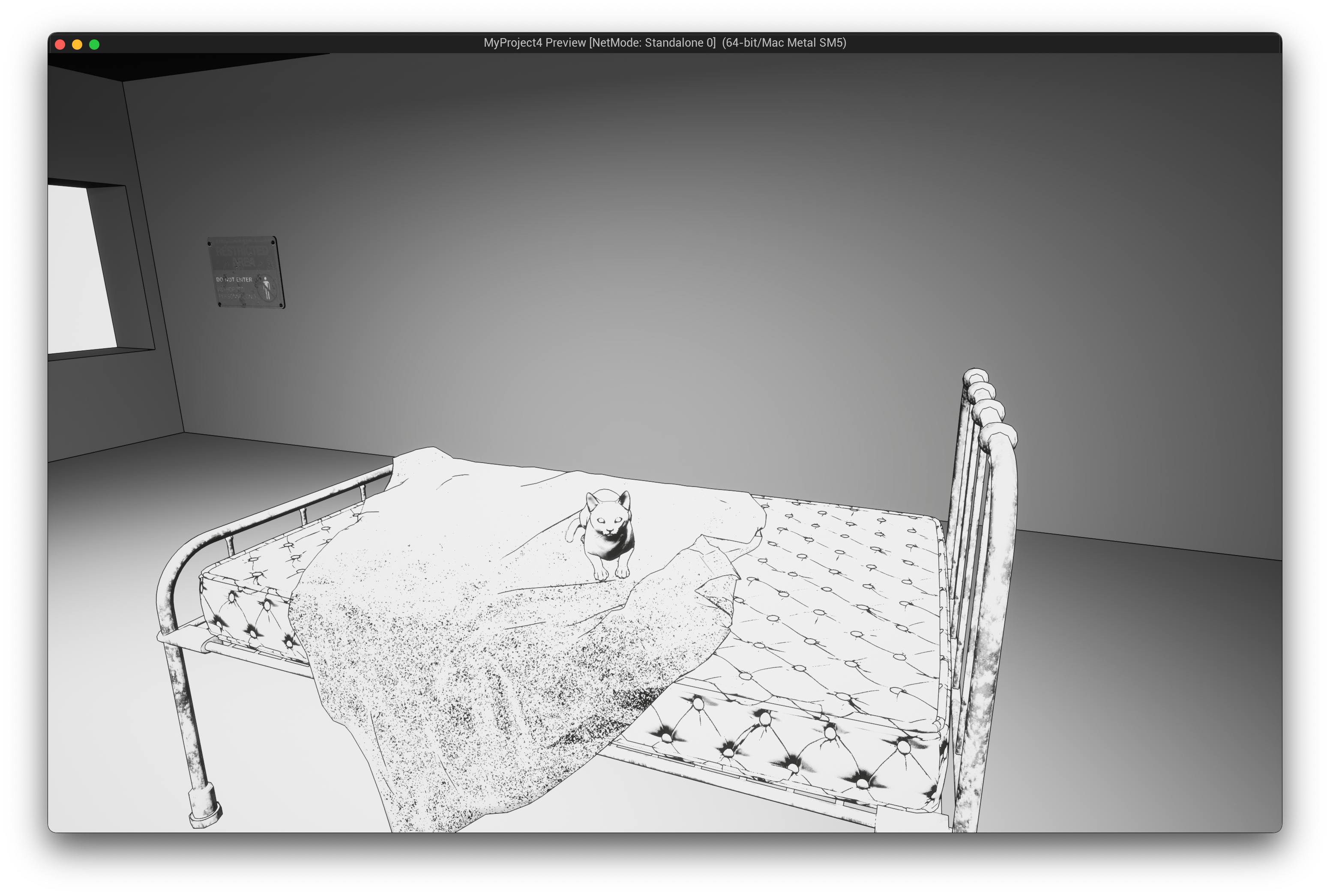
Press Start, see Kitty™, love life
I’d already die for him, tbh.
…NEXT TIME on All Things Games with Amanda Lynn…
Dev Log 3: let’s talk BP Interfaces and interaction systems, ‘cause there gon’ be a lot o’ interactions in this game and ain’t nobody got time to not use Interfaces
Do we care about strudel.cc and coding electronic music for video game soundtracks?
Seriously, I’m asking – if you’re subscribed, I want to know what you want to read about
Oh, look, I can add a poll:
The aforepromised
diatribeconsidered pondering of the trope of cassette recorders in video gamesAnswering reader questions? Send me some and we’ll see!
Paid subscribers can comment here, otherwise you can email me: amanda@amandalynn.ink